
Greetings, Descendants!
Convenience features have been updated
to make the official website's Trade Market BETA easier to use.
Please refer to the key update details and usage instructions below.
■ Trade Market BETA Updates
1. Color Coding for Item Option Tiers on Sale Listings
- Option tiers (Standard, Rare, Ultimate, Transcendent) for Trigger and Ancestors Modules now display colors matching the in-game standards, allowing you to identify option tiers at a glance.
ㄴ When selecting a tier, items with at least one option at or above the selected tier will be displayed.
- However, option tier colors will not be applied to items registered before the update or to their sales extension records.
We apologize for the inconvenience, but please re-register your items after the update.
2. Display of Compatible Descendant Information for Ancestors Modules
- In the sales list, Ancestors Modules now display information about which Descendants can use the module.
3. Enhanced Sale Item Search Filter Features
- In the filter at the top right of the sales list, you can now sort sale items by seller's Online status.
- A detailed filter settings feature has been added to the left side of the sale items list.
ㄴ You can search for items by setting conditions such as sales platform, module type, option tier, and price range.
ㄴ For Ancestors Modules, you can search sale items by setting compatible Descendant, Ancestors ADVANTAGE, and PENALTY option tiers.
ㄴ When selecting an option tier, the item list will display items with options at or above the selected tier.
4. Added Item Link Feature in Whisper Messages When Purchasing
- When clicking the Purchase button, an item link feature has been added so you can check item information via whisper messages.
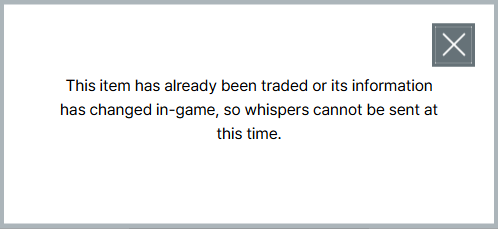
- However, if the seller has already sold the item by the time you attempt to purchase it and the item information can no longer be viewed, the following notification pop-up will be displayed.
Check out the newly updated Trade Market right now.
[Go to Trade Market BETA]
Thank you.