Logo
v1.4.3
Games
Lantern
Ancestor Module Simulator | The First Descendant

TFD Ancestor Module Simulator

Ancestor Module Simulator that lets you create and share specific AM perk setups in The First Descendant.

How the Ancestor Module Simulator works
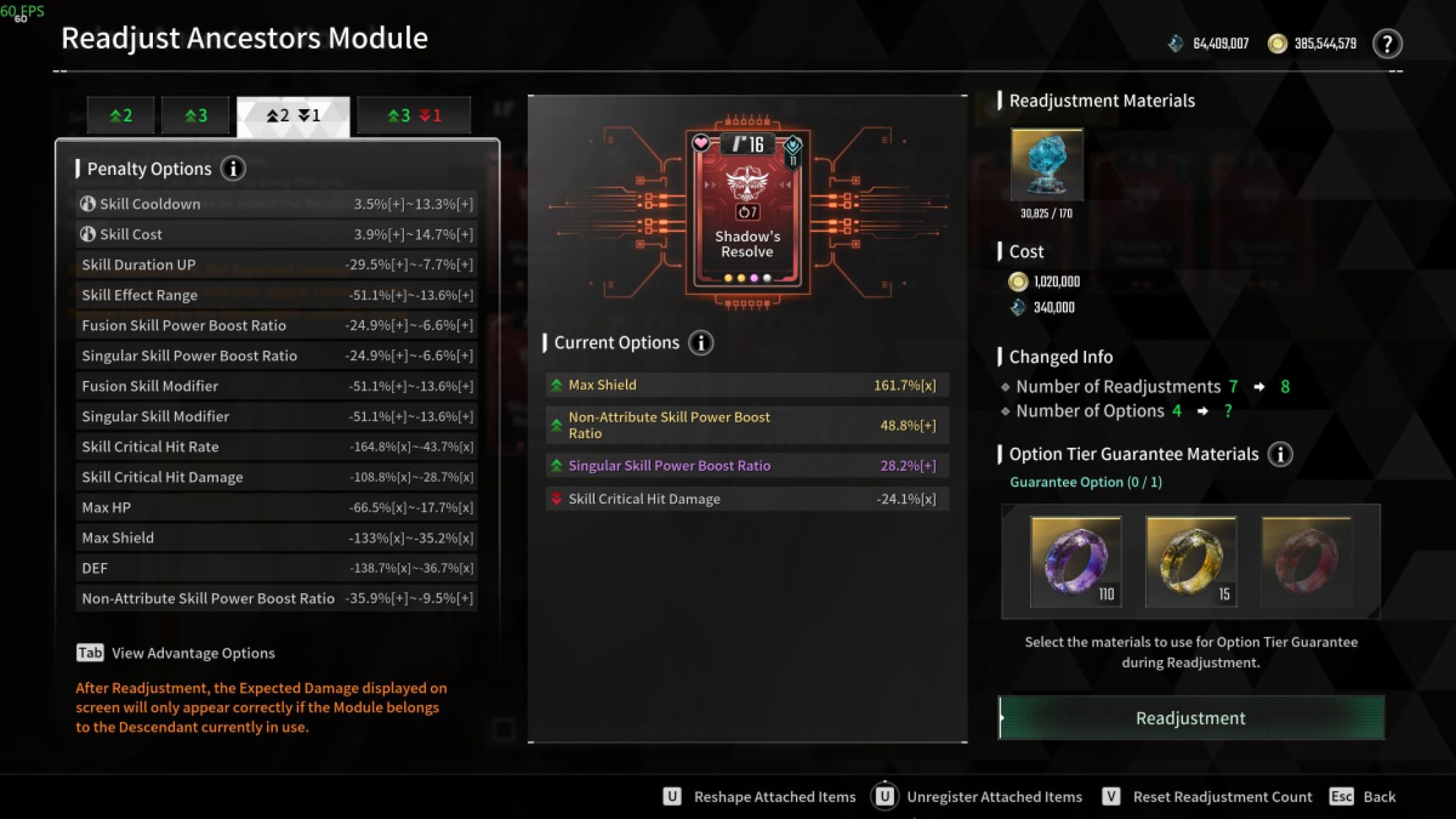
Ingame Ancestor Module Selection - The First Descendant

Ancestor Module rolls in The First Descendant

Marking the rolls you would also take

Few rolls come out perfect, so the simulator has a second pass where you mark the readjustments that are good enough to keep. Those sit apart from the target roll in the shared link, which makes it clear what is required and what is merely acceptable before anyone spends the Kuiper.

Frequently Asked Questions

What is the Ancestor Module Simulator?

It is a tool for building an Ancestor Module roll for The First Descendant and sharing it as a link. You pick the module, the combination of positive and negative readjustments you are after, and the exact stats, and the whole setup is stored in the URL.

How many readjustments can an Ancestor Module have?

Up to three positive readjustments, with an optional negative readjustment on top. The simulator covers all four shapes: two positive, three positive, two positive with one negative, and three positive with one negative.

Do I need an account to use it?

No. Building a roll and copying the share link works for everyone. An account is only needed to save a setup, which also adds it to the list of the last ten Ancestor Modules created at the bottom of the page.

Is a negative readjustment always bad?

No. A penalty to a stat your build does not scale with costs you very little, and a module rolled with one is usually easier to come by than a clean one. The simulator lets you mark the negatives you would accept so that is obvious to whoever you send the link to.

Where do the readjustment ranges come from?

Each Ancestor Module has its own pool of readjustments, and every one of them rolls somewhere between a minimum and a maximum. The simulator shows that range next to each stat so you know what a good roll actually looks like.